Reporting Pexip History using Superset
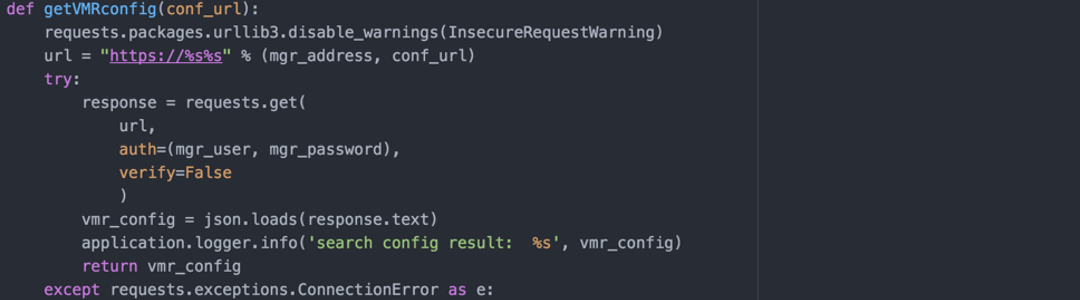
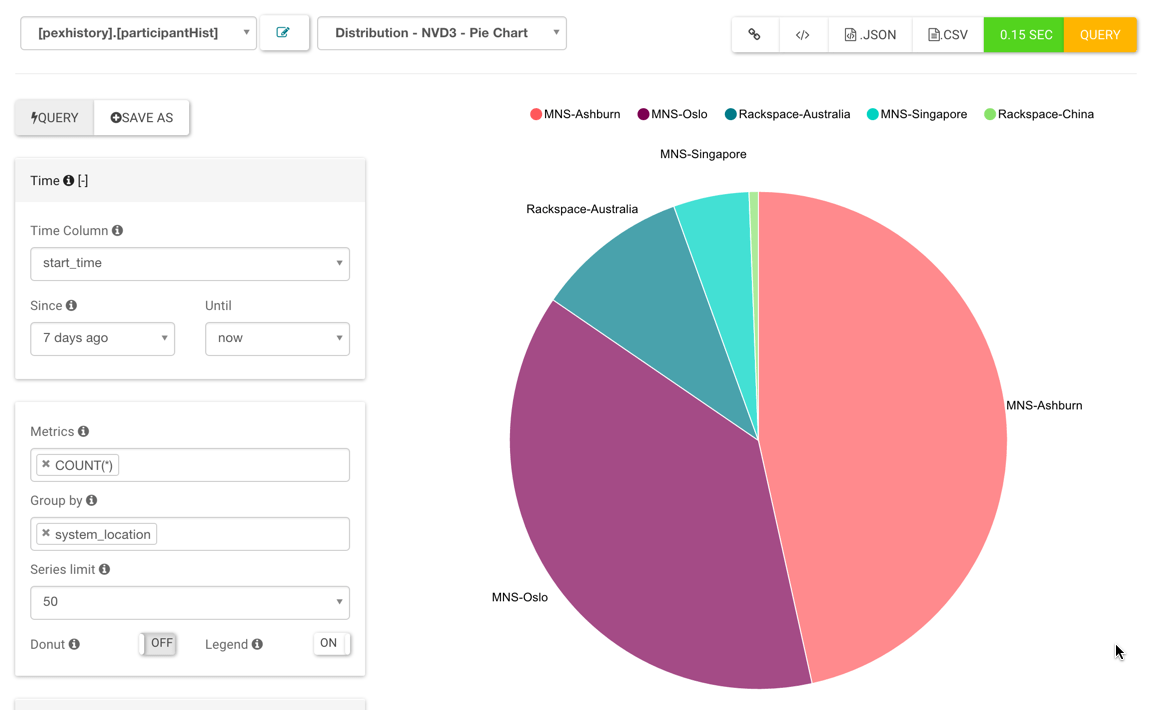
This post contains my notes for installing Superset and a customer python script to automate the downloading of participant and conference history from a Pexip Management node.
I came across Caravel when looking for a simple method to provide some cool dashboard type views with data derived from Pexip. Superset is the new project name for Superset
More info on Caravel can be found here: http://airbnb.io/caravel/
(update 16/05/17 Caravel developer moved project to https://github.com/airbnb/superset Note I have not tested this new version)
(update 18/09/18 Moved again to: https://superset.incubator.apache.org/installation.html)
Getting started
You could install a fresh copy of your favourite linux distro, install NGINX and some of the dependancies listed below. Personally I like to deploy the packaged OVA from Pexip as it makes my life a little easier. These notes are based on this platform.
So….. lets get started….
Install the Pexip RP/TURN server and follow the upgrade guide authored by Andreas:
https://support.pexip.com/hc/en-us/articles/201748136-Quick-start-guide-for-Pexip-RP-TURN-v3
Install Caravel
Click here for more info: Caravel getting started
Install dependencies for Caravel:
sudo apt-get install build-essential libssl-dev libffi-dev python-dev python-pip python-configobj
# Install caravel (this takes a while)
sudo pip install caravel

# Create an admin user
fabmanager create-admin --app caravel

# Initialize the database
caravel db upgrade

# Create default roles and permissions
caravel init

# Start the development web server
caravel runserver -d
Create a file called caravel_config.py in /home/pexip/ and add the following:
#---------------------------------------------------------
# Caravel specifix config
#---------------------------------------------------------
ROW_LIMIT = 5000
WEBSERVER_THREADS = 8

CARAVEL_WEBSERVER_PORT = 8088
#---------------------------------------------------------

#---------------------------------------------------------
# Flask App Builder configuration
#---------------------------------------------------------
# Your App secret key
SECRET_KEY = '21thisismyscretkey12eyyh'

# The SQLAlchemy connection string to your database backend
# This connection defines the path to the database that stores your
# caravel metadata (slices, connections, tables, dashboards, ...).
# Note that the connection information to connect to the datasources
# you want to explore are managed directly in the web UI
SQLALCHEMY_DATABASE_URI = 'sqlite:////<your db path>'

# Flask-WTF flag for CSRF
CSRF_ENABLED = True
Not add it to PYTHONPATH by editing your ~/.profile file adn adding:
export PYTHONPATH=$PYTHONPATH:/home/pexip/caravel_config.py
#delete the pexapp NGINX config:
sudo rm /etc/nginx/sites-enabled/pexapp
Create a new NGINX config for Caravel:
sudo nano /etc/nginx/sites-available/caravel
Add the following, adjust the IP address to suite:
server {
    listen 80;
    server_name 10.61.0.117;

    root /home/pexip;

    access_log /var/log/nginx/access.log;
    error_log /var/log/nginx/error.log;

    location / {
        proxy_set_header X-Forward-For $proxy_add_x_forwarded_for;
        proxy_set_header Host $http_host;
        proxy_redirect off;
        if (!-f $request_filename) {
            proxy_pass http://127.0.0.1:8088;
            break;
        }
    }
}
Create a symbolic link to the new config in the NGINX enabled directory:
sudo ln -s /etc/nginx/sites-available/caravel /etc/nginx/sites-enabled/
Reload the NGINX config:
sudo service nginx reload
Start Caravel:
nohup caravel runserver &
Note: Probably should add something about running as a service here
Install pexgrabber
Get the files from github:
cd /home/pexip
git clone https://github.com/lorist/pexgrabber.git
cd /home/pexip/pexgrabber
Edit the config.ini and set the correct values:
[Settings]
last_downloaded = 2016-06-01T00:00:00
example_last_downloaded = 2016-06-01T00:00:00
user = admin
password =
mgr_address = mgr.example.com
last_downloaded setting will be overwritten with the current time each time pexgrabber is run. Set this value initially to the datetime value you want to run the first data grab from. Be sure to use the same time formate i.e. 2016-06-01T00:00:00 is 12:00am 1st June 2016
user setting is the username for logging into the Pexip Management node.
password setting is the password for logging into the Pexip Management node.
mgr_address setting is the FQDN or IP address of your management node.
First Run pexgrabber
Make sure that you have populated the the config.ini file as per above. We can now run the grabber to make sure that it can grab the history from the Management node.
python /home/pexip/pexgrabber/pexgrabber.py
Note that the time it takes for the script to run depends on how far back you set the last_downloaded datetime and how much history the Management node in it’s local DB.
If all has gone well, you should see two new files in the pexgrabber directory:
ls /home/pexip/pexgrabber/
config.ini
pexgrabber.log
pexgrabber.py
pexhistory.db
README.md
If you examine the pexgrabber.log you will see what the script has done. You should entries like the following:
Setting start time to: 2016-06-05T10:33:32
2016-06-05 10:33:32,830 Setting start time to: 2016-06-05T10:33:32
No database yet, creating database
2016-06-05 10:33:32,831 No database yet, creating database
2016-06-05 10:33:32,843 Starting new HTTPS connection (1): mgr.example.com
2016-06-05 10:33:34,185 Adding participant: mark 72e3e59a-4e3d-48e5-93a5-f4fb967231c7
.
.
.
2016-06-05 10:33:34,915 Adding conference: Dennis Lorist 68b23892-64da-487d-917b-83bfa80c1e39
Configuring Caravel
Browse to your server by IP address for FDQN (depending on your DNS and what you configured in the NGINX config)
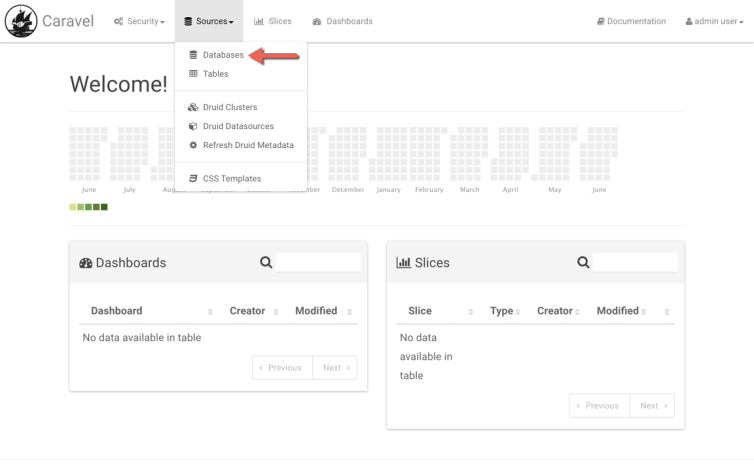
Add a datasource:
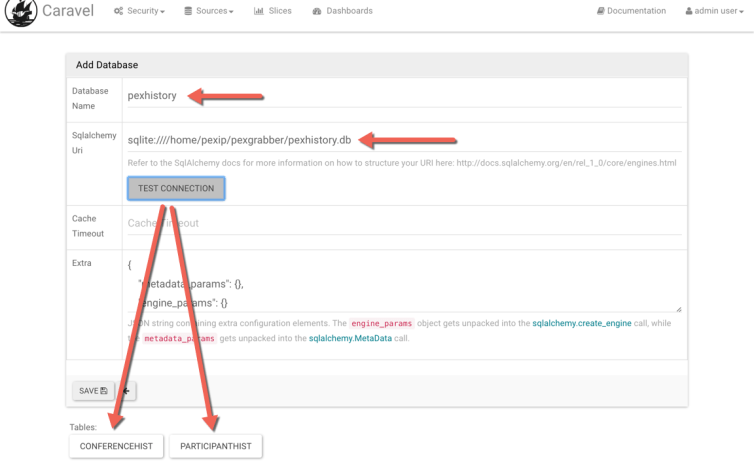
Enter the database name and path (preceded with sqlite:////). Click on TEST CONNECTION. If successful, you should see the CONFERENCEHIST and PARTICIPANTHIST tables:
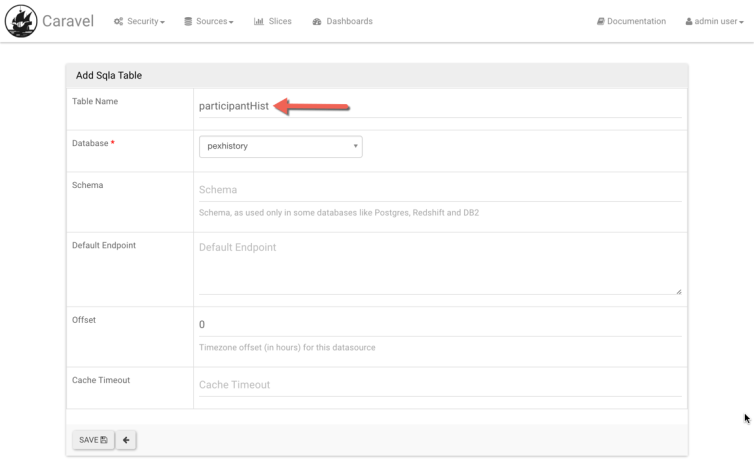
Add the tables:

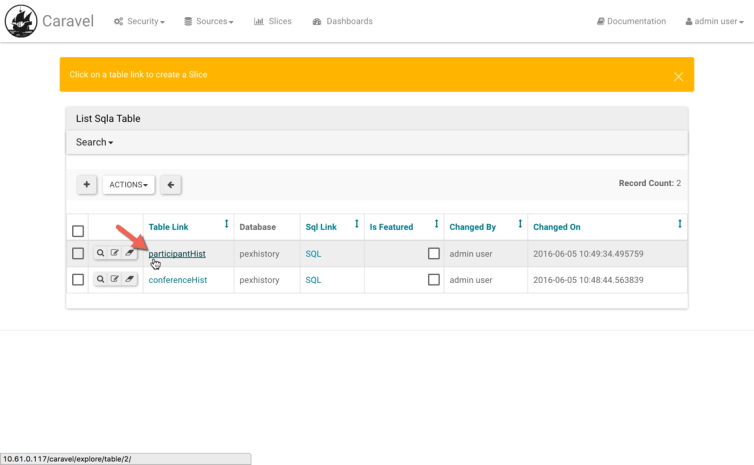
Add slices to suit:
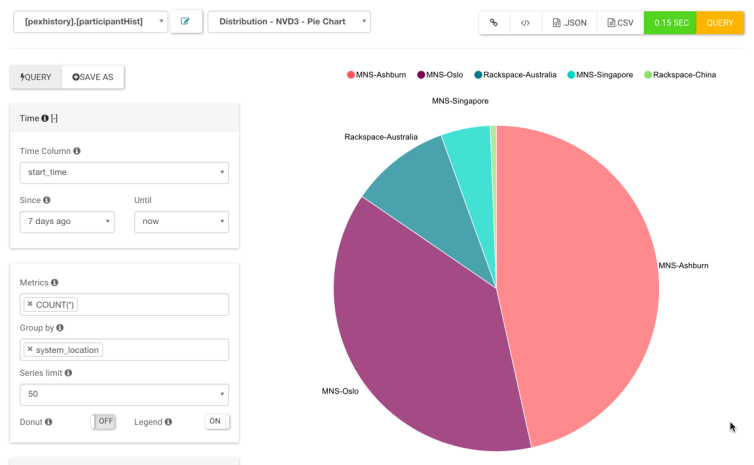
Manipulate data and views:
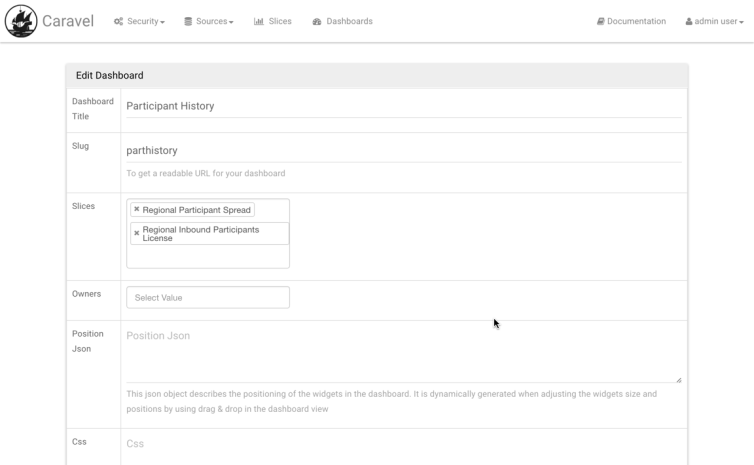
Create a dashboard:
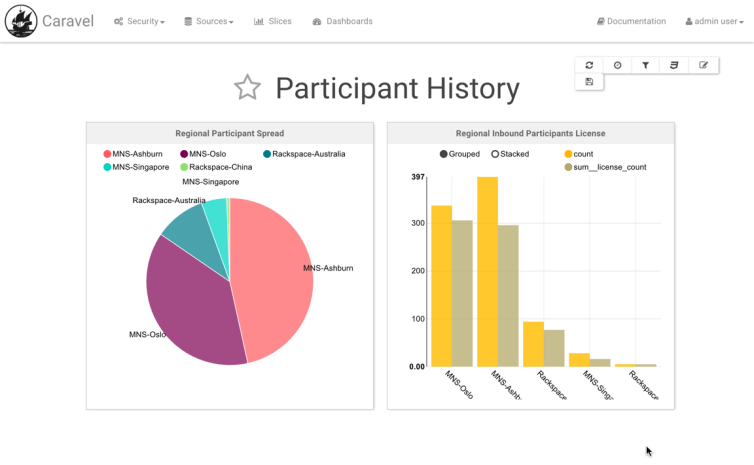
View your dashboard:
Note:
You can add pexgrabber as a cron job so that you update the DB on a regular basis. The last_downloaded config parameter will be updated every time the script is run. One should be careful not to grab too much data during production hours as there will be load put on the Management node.
 Dennis Lorist
Hi Dennis,
Great work as usual!
Just a small question, There is not really anything to stop me from running this directly on an existing RP is there? Although I guess we might consider boosting the vcpus and ram on it. All our RP does is to serve a custom WebGUI based on the location of our ConfNodes.
Cheers!
LikeLike
Hi Anders,
No. Nothing stopping you doing that. You would have to modify the NGINX config to redirect to the Caravel listening port (8088) for a separate FQDN or sub-directory.
Cheers,
Dennis
LikeLike
hey mate fyi your links to airbnb do not work: http://airbnb.io/caravel/installation.html#getting-started
LikeLike